 ChargePrint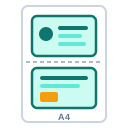
ID Card Front & Back on A4
Put the front and back of any card on a single A4 page at the real card size — ideal for photocopies, KYC and record keeping.
ID Card Front & Back to A4
300 DPI A4 output. Print karte waqt printer setting me A4 paper aur "Actual size / 100%" chunein (Fit to page nahi). Har printer ka physical margin alag hota hai — page ke bilkul kinare par kuch mm print nahi hota, isliye margin 5 mm se kam na rakhein.
How to use ID Card Front & Back on A4
- Upload front and back images
- Crop each side to the card edges
- Pick layout, margin and gap
- Download PDF / PNG or print
Features
- Real 85.6 × 54 mm size
- Crop, rotate and swap sides
- Cut lines and labels
- 300 DPI output
FAQ – ID Card Front & Back to A4
What is the standard ID card size?
85.6 × 54 mm (CR80) — Aadhaar, PAN, voter and ATM cards use it.
Is ID Card Front & Back to A4 free?
Yes, it is completely free to use on ChargePrint — no wallet charge and no watermark.
Are my files uploaded to a server?
No. The tool runs inside your browser, so your photos, documents and data stay on your own device.
Does it work on mobile?
Yes, it works in Chrome, Edge, Safari and Firefox on Android phones, iPhones, tablets and computers.
Related free tools
 Passport Photo Sheet
 QR Code Generator
 ID Card Maker
 QR Code Designer & Modifier
 Employee ID Card Maker
 Student ID Card Maker
 Visiting Card Designer
 Stamp Designer
Run a CSC / print shop?
ID Card Front & Back to A4 gives you RC, DL, voter, ration, PAN and Aadhaar print services with one wallet — plus all these tools inside your dashboard.